How to renew your PR card online in Canada: a step-by-step guide
Prepare your application one step at a time. Learn how to use the IRCC Permanent Residence Portal, complete your digital application, organize your documents and submit your PR card renewal request correctly.
Quick summary: renewing your PR card online
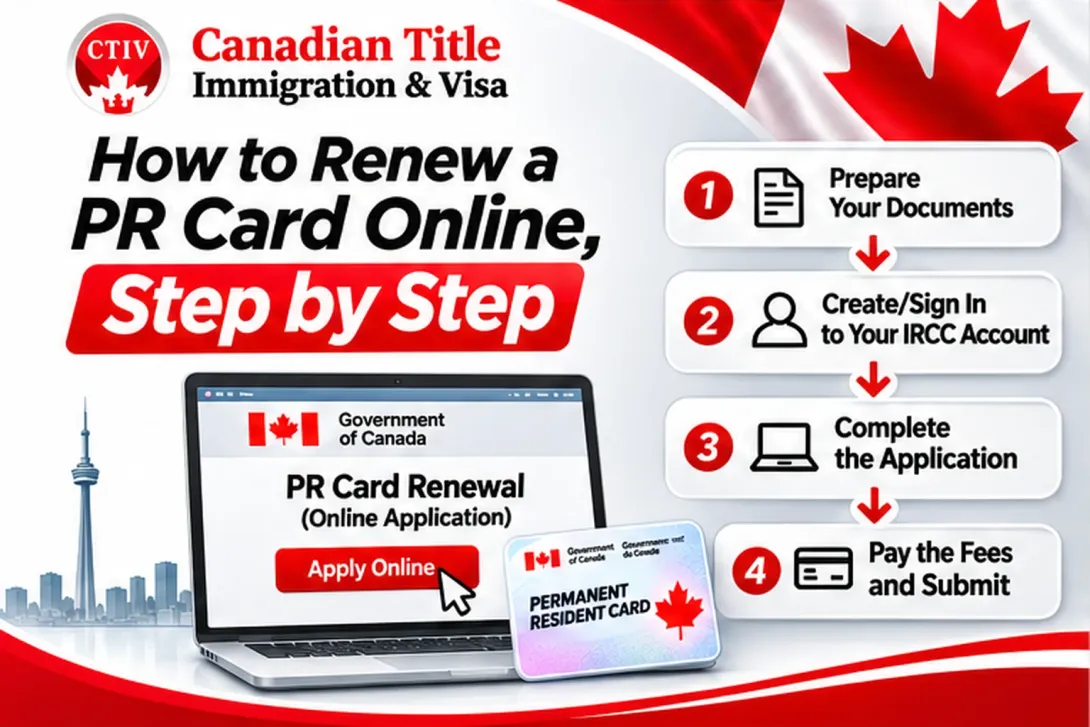
Most permanent residents renewing an existing PR card can apply through the IRCC Permanent Residence Portal. The online process involves completing the digital IMM 5444 application, preparing the IMM 5644 document checklist, uploading the required identity documents and photograph, paying the government fee and submitting the application.
- Where to apply: IRCC Permanent Residence Portal.
- Main application: Digital IMM 5444.
- Document checklist: IMM 5644.
- Government processing fee: CAD $50 per applicant.
- Important: IRCC generally does not accept a renewal application when your current PR card has more than nine months (270 days) remaining, unless you are changing your legal name.
Always check the latest instructions on IRCC's official PR card application page before submitting.
1. Check before starting your PR card renewal
Before opening the Permanent Residence Portal, confirm that you are applying under the correct category and that you understand the requirements. A routine renewal is generally for a permanent resident whose existing PR card has expired or is approaching expiry.
- You must be a permanent resident of Canada.
- You must not have become a Canadian citizen.
- You must not be under an effective removal order.
- You must consider whether you meet the residency obligation.
- You should normally be physically present in Canada when applying for a PR card.
- Your current PR card should generally have 9 months or less remaining before expiry, unless you are applying because of a legal name change.
The residency obligation is generally 730 days in Canada during the relevant five-year period, subject to specific exceptions under immigration law. If you have spent substantial time outside Canada, assess your residency history carefully before submitting your application.
Read our guide to the 730-day PR residency obligation if you are unsure whether you meet this requirement.
2. How to renew your PR card online: step by step
1
Open the IRCC Permanent Residence Portal
Go to the official IRCC Permanent Residence Portal. If you already have an account, sign in. If you are a new user, follow the registration instructions to create an account.
Use your own applicant account and keep your sign-in details secure. If an authorized immigration representative is handling your application, the representative must use the appropriate representative service.
2
Start a PR card application
After signing in, select the option to apply for a permanent resident card. Choose the correct application category. For an ordinary renewal, select the renewal option rather than replacement or first PR card.
If your card was lost, stolen, destroyed or never received, you may need to use the replacement or other applicable category instead.
3
Complete your applicant profile
Enter your personal information carefully, including your full name, date of birth, Unique Client Identifier (UCI), contact details and other information requested by the Portal.
Check that your information matches your immigration records and identity documents. If your legal name has changed, prepare the supporting legal documents before proceeding.
4
Complete the digital IMM 5444 application
The online Portal provides a digital version of IMM 5444 – Application for a Permanent Resident Card or Permanent Resident Travel Document. Complete the questions in the order displayed.
You will be asked for information about your permanent residence history, personal details, addresses, work and education history, travel outside Canada and other relevant matters.
Take particular care when entering your travel dates. Your answers should be consistent with your passports and supporting records. Do not guess if you are unsure about a date.
5
Complete the IMM 5644 document checklist
Review the official document checklist and identify the documents applicable to your circumstances. The checklist helps ensure that you have included the required supporting evidence.
Complete the checklist and upload it in the appropriate section of the Portal. Use the latest version of the document checklist available from IRCC.
6
Upload your identity and supporting documents
Upload clear, readable copies of the documents requested in the Portal. Depending on your circumstances, these may include:
- Your current or most recent PR card.
- Your valid passport or other acceptable primary identity document.
- Relevant passport pages and travel records.
- Evidence relating to your residency obligation, where required.
- Legal name-change documents, if applicable.
- Other supporting documents requested by IRCC.
Do not assume that every passport page must automatically be uploaded. Follow the current document checklist and instructions for the identity document and supporting evidence required in your case.
7
Upload your PR card photograph
Upload one recent professional photograph that meets IRCC's specifications. For an online application, the digital image must meet the accepted file format, dimensions and file-size requirements.
IRCC may also require a separate document containing the information normally recorded on the back of the photograph, including the photographer's details and the date the photograph was taken.
Review the detailed IRCC PR card photograph requirements before uploading.
8
Pay the government processing fee
The PR card processing fee is CAD $50 per applicant. Pay through the official IRCC payment system and save the receipt. Upload the payment receipt in the section indicated by the Portal.
Each family member who needs a PR card must have a separate application and applicable fee.
Check the official IRCC fee list before making payment.
9
Review your answers and submit
Before submitting, review the application from beginning to end. Check names, dates, travel history, addresses, uploaded documents, photograph and payment receipt.
Complete the electronic declaration and signature steps shown in the Portal. Save a copy of your submission confirmation and any documents you may need for future reference.
10
Monitor your application after submission
After IRCC receives and accepts a complete application into processing, you should receive an acknowledgement of receipt (AOR) by email or through the available account correspondence.
Keep checking your Portal and email for messages, document requests, interview instructions or other updates. Make sure your mailing address remains current.
You can review the official IRCC instructions for what happens after applying.
3. Documents to prepare before applying
Preparing your documents before opening the online application can make the process easier. The exact requirements depend on your personal circumstances and the instructions displayed in the Portal.
PR card online renewal preparation checklist
- ☐ Valid passport or other acceptable primary identity document.
- ☐ Copy of your current or most recent PR card, where applicable.
- ☐ Personal details and UCI number.
- ☐ Address history and employment or education history, as requested.
- ☐ Travel history covering the relevant period.
- ☐ Supporting evidence relating to residency, where required.
- ☐ Recent professional PR card photograph.
- ☐ Photographer information or confirmation document.
- ☐ Completed IMM 5644 document checklist.
- ☐ CAD $50 payment receipt.
- ☐ Legal name-change documents, if applicable.
- ☐ Certified translations and any required translator affidavit for documents not in English or French.
4. PR card photograph requirements
Photograph problems are a common source of application issues. Your photograph must reflect your current appearance and meet IRCC's specifications.
- The photograph must be taken within the 12 months before you apply.
- Accepted digital formats include JPEG and PNG.
- Image dimensions must be between 715 × 1,000 and 2,000 × 2,800 pixels.
- The file size must be 4 MB or less.
- The photograph must be professional and must not be an ordinary phone photograph of a printed photograph.
- Your face must be clearly visible, centred and photographed against a plain white background.
- The photograph must not be digitally altered.
For a digital photograph, provide the required photographer and photo-date information in the separate document requested by IRCC. Check the official photo specifications before submitting.
5. Common mistakes to avoid when renewing online
Even when applicants are eligible, incomplete or inconsistent applications can create unnecessary delays. Review the following before submitting:
- Applying too early: A renewal application may be returned if your existing PR card has more than nine months remaining, unless you are changing your legal name.
- Incorrect travel dates: Check your passport stamps, travel records and other available evidence.
- Missing documents: Review the IMM 5644 checklist and every Portal upload requirement.
- Incorrect photographs: Check the image dimensions, file size, background and photographer information.
- Inconsistent personal information: Ensure that names, dates of birth and identity details are consistent with your supporting records.
- Missing payment receipt: Confirm that the correct fee was paid and the receipt was uploaded.
- Ignoring Portal messages: Check your email and account regularly after submitting.
6. What happens after you submit your PR card renewal?
IRCC reviews the application and supporting documents. If the application is complete, IRCC can issue an acknowledgement of receipt and you may be able to track its status. IRCC may also request further documents, an interview or other information.
If your application is approved, IRCC generally mails the PR card to your Canadian address. In some cases, IRCC may ask you to collect the card in person. PR cards are not mailed overseas.
Once you receive your new card:
- Check your name, date of birth and other card details.
- Follow IRCC's instructions if you identify an error.
- Destroy your previous PR card as instructed by IRCC.
- Keep your new card secure.
For details about card delivery, tracking and what to do if the card does not arrive, consult IRCC's after-application guidance.
Frequently asked questions about renewing a PR card online
The following answers cover the online application process, Portal access, forms, supporting documents, travel history and common issues after submission.
A. Application method, forms and Portal access
26. How do I renew my PR card online in Canada?
Sign in to the IRCC Permanent Residence Portal, start a PR card renewal application, complete the digital IMM 5444, upload your supporting documents and photograph, complete the IMM 5644 checklist, pay the CAD $50 fee and submit your application. Review all information before making the final declaration.
27. Can I still apply for PR card renewal by paper mail?
IRCC expects most applicants to apply online. If you cannot apply online and require accommodations, including for accessibility reasons, you can request an alternate format such as paper. Follow the instructions on the IRCC Portal page to request an alternate application package. Do not assume that an ordinary paper application can be mailed without first checking the applicable instructions.
28. What forms are required to renew a Canadian PR card?
The main application is IMM 5444 – Application for a Permanent Resident Card or Permanent Resident Travel Document. For online applications, you complete the digital version inside the Portal. You must also complete and upload the IMM 5644 document checklist. Other forms may be required depending on your circumstances, such as IMM 5476 if you appoint an authorized representative.
29. How do I fill out form IMM 5444 for PR card renewal?
For an online application, complete the digital IMM 5444 directly in the Permanent Residence Portal rather than downloading and filling out the PDF. Provide accurate personal details, immigration information, addresses, employment and education history, and travel history as requested. Follow the Portal's electronic declaration and signature instructions. See IRCC's IMM 5444 page.
30. What is the document checklist (IMM 5644) for PR card renewal?
IMM 5644 is IRCC's document checklist for a PR card application. It helps you identify the documents that must accompany your application. Complete the checklist and upload it in the appropriate Portal section with the supporting documents that apply to your situation. Always use the latest version available from IRCC.
31. How do I create an account on the IRCC Permanent Residence Portal?
Visit the Permanent Residence Portal and select the registration option. Follow the instructions to create your account and sign in. Keep your account credentials secure. An authorized immigration representative must use the appropriate representative service rather than signing in as the applicant.
B. Supporting documents, passport and photographs
32. What supporting documents do I need to renew my PR card?
Depending on your circumstances, you may need your existing PR card, an acceptable primary identity document such as a passport, residency-related evidence, a recent professional photograph, the IMM 5644 checklist and your payment receipt. Additional documents may be needed for a legal name change or other special circumstances. Follow the current Guide 5445 and your Portal checklist.
33. Do I need to include copies of all pages of my passport for PR renewal?
IRCC's standard identity-document requirement is a copy of an acceptable primary identity document showing the required identity details, including the document number, issue and expiry dates, name, photograph and date of birth. The instructions do not say that every page of every passport must automatically be uploaded in every case. Follow the checklist and include relevant pages and any additional travel evidence requested by IRCC.
34. Do I need to translate passport stamps for PR card renewal?
Documents submitted in a language other than English or French must be accompanied by the required translation. If you rely on foreign-language passport stamps or travel records as supporting evidence, arrange a translation that meets IRCC's requirements. The applicant or a family member cannot translate their own documents. Depending on the translator's qualifications, an affidavit may also be required.
35. What are the photo specifications for a Canadian PR card renewal?
For an online application, the digital photograph must be in JPEG or PNG format, between 715 × 1,000 and 2,000 × 2,800 pixels, and no larger than 4 MB. It must be a recent professional photograph, taken within the 12 months before applying. The image must show your face clearly against a plain white background and must not be altered. Review IRCC's complete photograph specifications.
36. Can I upload a digital photo for my online PR card renewal?
Yes. IRCC accepts a professional digital photograph in JPEG or PNG format if it meets the required specifications. You must also provide the information normally recorded on the back of the photograph, including your name, date of birth, date the photograph was taken and the photographer or studio's complete address. This information can be provided in a separate document with confirmation from the photo studio, such as a receipt.
37. Do I need a guarantor for my PR card renewal application?
For an online PR card application, the photograph requirements focus on a professional photograph and the required photographer information. A traditional guarantor signature on the back of a printed photograph is not the same as the photographer information required for the online submission. Follow the current Portal instructions and photo checklist.
C. Travel history and personal circumstances
38. How do I list my travel history on the PR card renewal form?
Provide the travel information requested in the digital IMM 5444, including your absences from Canada during the relevant period. Prepare a chronological record of departure and return dates and destinations. Check your passports, tickets, travel confirmations and other records before entering the information.
39. What if I don't remember all my travel dates for PR card renewal?
Do not knowingly guess or enter inaccurate dates. Reconstruct your travel history using passport stamps, airline confirmations, old tickets, booking emails, calendars and personal records. You can also consider requesting a CBSA Travel History Report, although it may not contain every detail of every trip. Explain any uncertainty honestly and provide the most accurate information available.
40. How do I check my travel history with CBSA for PR renewal?
CBSA provides Travel History Reports showing available records of entries into and exits from Canada. In the applicable consent section of the IMM 5444 application, you can authorize IRCC to obtain your entry history from CBSA. If you do not give consent, you may need to request the relevant information directly from CBSA and provide it to IRCC. See the CBSA Travel History Report information.
41. Can I submit my PR card renewal application without my old PR card?
If your existing PR card is lost or stolen, follow the applicable replacement procedure rather than treating the application as an ordinary renewal. If you cannot provide a copy for another reason, explain the circumstances and follow the Portal instructions or seek guidance from IRCC before submitting. Do not substitute an unrelated document without explaining why the requested document is unavailable.
42. What do I do if my PR card is lost or stolen before renewal?
If your PR card has been lost or stolen, select the appropriate replacement category in the Permanent Residence Portal. Provide the details requested about the loss or theft and upload the applicable supporting documents and payment receipt. If you have a police report or incident number, include it where relevant. See our PR card replacement guide.
43. How do I update my name or gender on my PR card during renewal?
If your legal name has changed, provide the required legal name-change documents and follow IRCC's instructions for updating your PR card. If you are requesting an X gender identifier, IRCC's instructions identify the applicable Request form for a Change of Sex or Gender Identifier (IRM 0002). Review Guide 5445 before applying.
44. Can a family apply together for PR card renewal in one Portal account?
Each family member who needs a PR card must have a separate application and the applicable fee. Do not submit one application as a substitute for applications for every family member. Follow the Portal instructions for each applicant and ensure the correct personal information and supporting documents are uploaded for that person.
45. Do I need to give biometrics again when renewing my PR card?
Biometrics are not a routine document requirement for every PR card renewal. If IRCC requires additional biometrics in your particular circumstances, it will provide instructions. Do not book a biometrics appointment unless IRCC tells you that you need to provide them.
D. Incomplete applications and corrections after submission
75. Why would a PR card renewal application be returned as incomplete?
IRCC may return an application if required information, forms, photographs, supporting documents or payment are missing or do not meet the stated requirements. Examples include an incomplete application, a missing checklist, an unacceptable photograph, unclear identity-document copies or a missing payment receipt. Read the return notice carefully, correct the identified issues and follow IRCC's instructions for resubmission.
78. How do I fix a mistake on my PR card renewal after submitting it?
After submitting an online application, you generally cannot simply reopen it and edit the original answers. If you discover an error or forgot to provide information, contact IRCC using the appropriate application update web form. Explain the error and provide corrected information and supporting documents. IRCC will determine whether the information can be added to your application or whether further action is needed.
79. How do I update my address while waiting for my PR card renewal?
If you move after submitting your application, notify IRCC as soon as possible. Use the official Change or Update Your Address service. Keeping your mailing address current helps prevent important correspondence or your PR card from being sent to an old address.
80. What should I do if my renewed PR card never arrived in the mail?
First, check your application status and confirm the mailing address IRCC has on file. IRCC allows up to six additional weeks beyond the normal processing time for delivery. If your card has not arrived after that period but fewer than 180 days have passed, IRCC provides a solemn declaration procedure. If 180 days or more have passed, you must apply for a new card and complete Section 6 concerning a lost, stolen, damaged or never-received card. Follow the official IRCC instructions.
81. How do I report a lost PR card in the mail from IRCC?
If IRCC mailed your renewed PR card but you did not receive it, follow the non-delivery procedure. If six weeks have passed beyond the normal processing time but fewer than 180 days have passed, IRCC provides a solemn declaration process. After 180 days, you must apply for a new card, complete Section 6 and explain what happened and the steps you took to locate it.
82. What if there is a spelling mistake on my newly renewed PR card?
Check your PR card as soon as you receive it. If IRCC made the error when producing the card, you may be able to request a reissue within 60 days of receiving it. If the error originated in the information you provided, a different application process may apply. Review the IRCC instructions for PR card corrections before taking action.
Need help with your PR card renewal?
Preparing an online PR card application can become complicated when travel records, identity documents, photographs or residency information are involved. CTIV can help you understand the application requirements, organize your supporting documents and review your circumstances before submission.
Your trusted immigration partner
Important information: This page is for general educational purposes and is not legal advice. Immigration requirements, application procedures, fees and processing times can change. IRCC makes the final decision on every application. Always check the latest official instructions before submitting your application. If your case involves a complicated residency history, a possible breach of the residency obligation or a previous refusal, consider obtaining advice from an authorized immigration professional.